How to Migrate Yahoo Mail to Zoho Mail (Step-by-Step Guide 2026)
Honestly, a lot of people are eliminating Yahoo Mail these days. Especially if you’re trying to stay organized or keep things more professional. Zoho Mail feels like a proper upgrade, cleaner, and more private, and it actually plays well with other work tools. If you’ve been thinking about making the switch, you’re not alone. The best part is that there are various ways to perform the export process. In this guide, we’ll walk through how to move your data to migrate Yahoo Mail to Zoho Mail, both the manual way and using the Yahoo Backup Tool to prevent data loss.
Common Reasons to Transfer Yahoo Mail to Zoho Mail
Most of the users choose to move emails from Yahoo to Zoho Mail for the following reasons:
- Zoho Mail offers a professional email environment for business use.
- It provides a smooth integration with productivity apps.
- Moreover, Zoho Mail has better privacy & an ad-free experience.
- Zoho Mail helps to improve email organization and management.
- Along with that, Zoho Mail is reliable for long-term email storage.
Pre-Migration Checklist to Migrate Yahoo Mail to Zoho Mail
- Make sure your Yahoo Mail account credentials are correct.
- Your Zoho Mail account is active and ready.
- The user must have a stable internet connection.
- Furthermore, make sure you have enough storage space in Zoho Mail.
Method 1: Manual Method (Using Zoho Mail Migration Tool)
Zoho Mail provides a built-in migration option that allows users to import emails from external accounts.
Easy Steps to Import Yahoo Mail to Zoho Mail
- First, provide the valid credentials and log in to your Zoho Mail account.
- After that, go to Settings.
- Then, navigate to Mail Accounts >> Add External Account.
- Now, choose Yahoo Mail as the source.
- Next, enter your Yahoo email credentials.
- Thereafter, you need to enter the correct IMAP server details:
- Server: imap.mail.yahoo.com
- Port: 993
- Encryption: SSL
- Then, from the given folder, select the folders you want to migrate.
- Lastly, start the migration process.
Method 02: Advanced Software to Migrate Yahoo Mail to Zoho Mail
Yahoo Backup Tool is the most appropriate solution to back up and migrate emails in bulk. With this software, you can transfer Yahoo Mail to iCloud, Gmail, Google Workspace, and other email clients. This software provides a filter option that helps users to remove duplicate emails and exclude attachments. Its simple user interface helps user to easily migrate their files without any technical knowledge.
Easy process for Yahoo to Zoho Mail Migration
- To initiate the process, download the Yahoo Backup Tool.
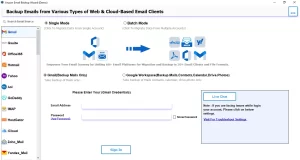
- After that, enter the Yahoo Mail login credentials to proceed.
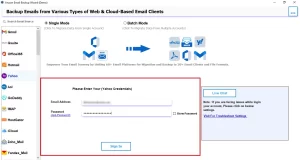
- It will load the fetched folders; you need to select them and click Next.
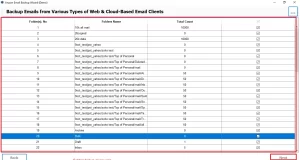
- From the email client, select Zoho Mail and enter the login credentials.
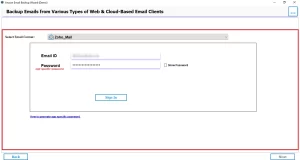
- Thereafter, enable the filters for selective data migration and click Next.
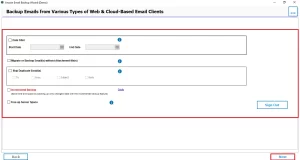
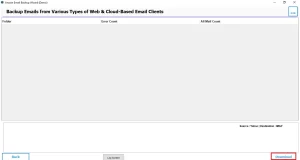
- At last, click on Download to start the migration process.
Comparison Table: Manual vs Professional Method
| Features | Manual Method | Professional Software |
| Ease of Use | Moderate | Easy |
| Speed | Slow | Fast |
| Data Safety | Limited | High |
| Bulk Migration | Not ideal | Supported |
| Filters | Basic | Advanced |
Common Errors During Migration
While users perform the migration of Yahoo Mail, there are several issues that arise, including:
- Authentication Errors
- IMAP connection issues
- Slow syncing
- Timeout errors
- Missing emails after migration
How to Fix Yahoo Mail Migration Failure in Zoho Mail
To resolve the migration issues, follow the given points listed below:
- You need to recheck your IMAP settings.
- Must verify the login credentials.
- Before you begin the migration, reduce the mailbox size.
- Retry the migration process with a stable internet connection.
Best Practices to Smoothly Migrate from Yahoo Mail to Zoho
- You must clean unnecessary emails before migration.
- Make sure to migrate data in small batches to prevent issues.
- Moreover, you must avoid multiple migrations at once.
- Furthermore, monitor your migration process regularly.
Conclusion
To wrap up, choosing to migrate Yahoo Mail to Zoho Mail can significantly improve how you manage emails. However, the manual method works well for small files, therefore it is recommended to use advanced software for better accuracy and control. With the correct approach mentioned in this blog, you can complete the migration process.
Frequently Asked Questions
Ans. The time depends on mailbox size and internet speed. Small accounts may complete within hours, while large migrations can take longer. Therefore, you can use the Yahoo Backup Tool for faster migration.
Ans. Yes, Zoho Mail allows periodic syncing via IMAP, but real-time sync may not always be consistent.
Ans. Common errors include login failures, IMAP issues, incomplete syncing, and timeout interruptions.
Ans. You can fix it by verifying credentials, checking IMAP settings, ensuring proper connectivity, and retrying the process.
Ans. Yes, Zoho Mail is a reliable option for long-term storage with strong security, an organized structure, and scalable plans.
About The Author

Khushboo Maurya is a content and website optimization expert who helps blogs and websites grow naturally. She focuses on improving content quality and reaching more people through smart, simple strategies.