How to Export Yahoo Mail to EMLX Files on Mac and Windows
Summary: Yahoo Mail is still widely used by enterprises and IT experts for everyday communication. But when it comes to saving or moving emails into EMLX format for Apple Mail, it gets a bit complicated since Yahoo doesn’t offer a direct export option. Most users either try manual steps or use a reliable utility like the EmailBackupHelp Yahoo Mail Backup Tool. In this article, we’ll look at how to export Yahoo Mail to EMLX files and keep emails, attachments, and mailbox data safe during the process.
Why Enterprises Prefer to Export Emails from Yahoo Mail to EMLX Files?
Enterprises often prefer exporting Yahoo Mail emails into EMLX format to improve accessibility and smooth compatibility with Apple Mail environments. It also helps teams manage and store important business communication more efficiently.
- EMLX files are fully supported in Apple Mail systems used by enterprises.
- It helps shift Yahoo Mail data into Mac-based enterprise environments.
- Important business emails can be preserved for long-term access and compliance needs.
- Individual EMLX files make email management easier for IT teams.
- It supports secure offline storage for sensitive organisational data.
- Email content, attachments, and metadata remain properly preserved during export.
Different Ways to Export Yahoo Mail to EMLX
If you want to convert your Yahoo Mail emails into EMLX format, you can choose between the following approaches:
- Built-in Method
- Professional Solution
Method 01: Built-in Method to Convert Yahoo Mail Emails to EMLX Files
This native method uses Mozilla Thunderbird and Apple Mail. Since Yahoo Mail does not offer a direct export option, IMAP is used to sync emails first. After that, emails are exported as EML files, which Apple Mail on Mac can import and store in its internal format.
Step 01: Configure Yahoo Mail in Mozilla Thunderbird
- First, download and install Mozilla Thunderbird on your system.
- Next, open Thunderbird and go to Account Setup / Account Actions.
- Then, click on Add Mail Account >>enter your Yahoo Mail email address.
- Now, use a Yahoo App Password (required if two-factor authentication is enabled).
- Subsequently, Thunderbird will detect IMAP settings or allow manual configuration.
- Finally, click Done >> wait until all emails are fully synchronized.
Step 02: IMAP Settings (If Manual Configuration is Required)
- Incoming Server: imap.mail.yahoo.com
- Port: 993
- Security: SSL/TLS
- Authentication: OAuth2 (recommended) or Normal Password using a Yahoo App Password.
Meanwhile, ensure all folders and emails are fully synced in Thunderbird.
Step 03: Export Yahoo Emails as EML Files
- Once synchronization is complete, open Thunderbird.
- Then, select the Yahoo Mail folder or specific emails.
- After that, right-click on the selected items.
- Now, choose ImportExportTools NG >> Export all messages in the folder.
- Then, select EML format.
- Finally, choose a destination folder and save the exported files.
Step 04: Import EML Files into Apple Mail (Mac)
- Now, open Apple Mail on your Mac system.
- Then, drag & drop the exported EML files into Apple Mail.
- Consequently, Apple Mail will import and store these emails in its internal mail database (EMLX-based structure).
- Lastly, verify all emails inside Apple Mail.
Shortcomings of the Manual Method
- Requires Thunderbird & IMAP setup, which can be technical.
- Takes more time for large mailboxes.
- No direct bulk export option.
- Risk of missing emails during sync.
- Folder structure may not remain the same.
- Needs extra steps in Apple Mail.
Method 02: Professional Solution to Export Yahoo Mail to EMLX
The Yahoo Mail Backup Tool provides a simple way to export Yahoo Mail emails to EMLX format. It allows IT admins to select mailbox folders, save attachments, apply date filters, & perform incremental backups. Moreover, the software preserves email data & folder hierarchy throughout the export process, making it suitable for both personal and business use. Users looking for other export options can also export Yahoo Mail to CSV for reporting, record-keeping, and data analysis purposes.
Steps to Save Yahoo Mail Emails as EMLX Files:
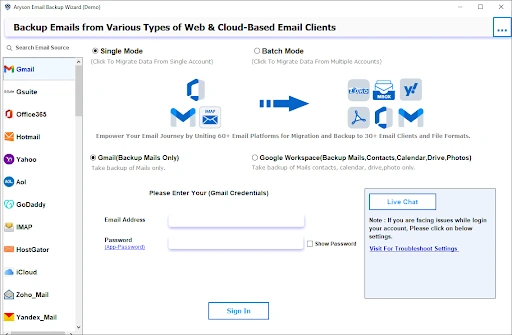
- Firstly, install & launch the Yahoo Mail Backup Tool on your system.
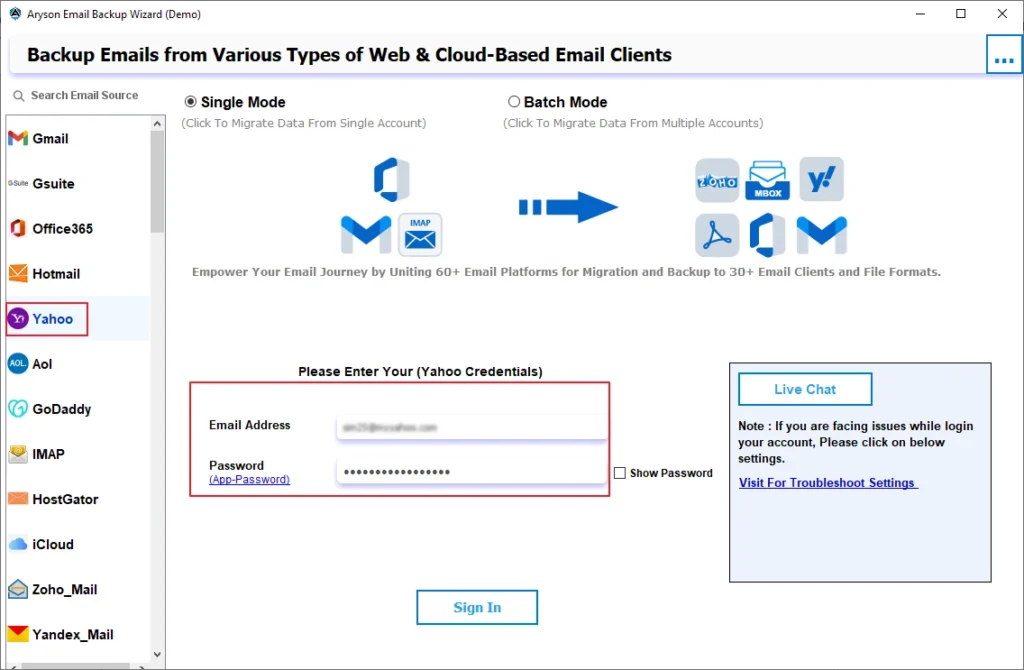
- After that, select Yahoo from the email source list >> enter your Yahoo Mail credentials to sign in.
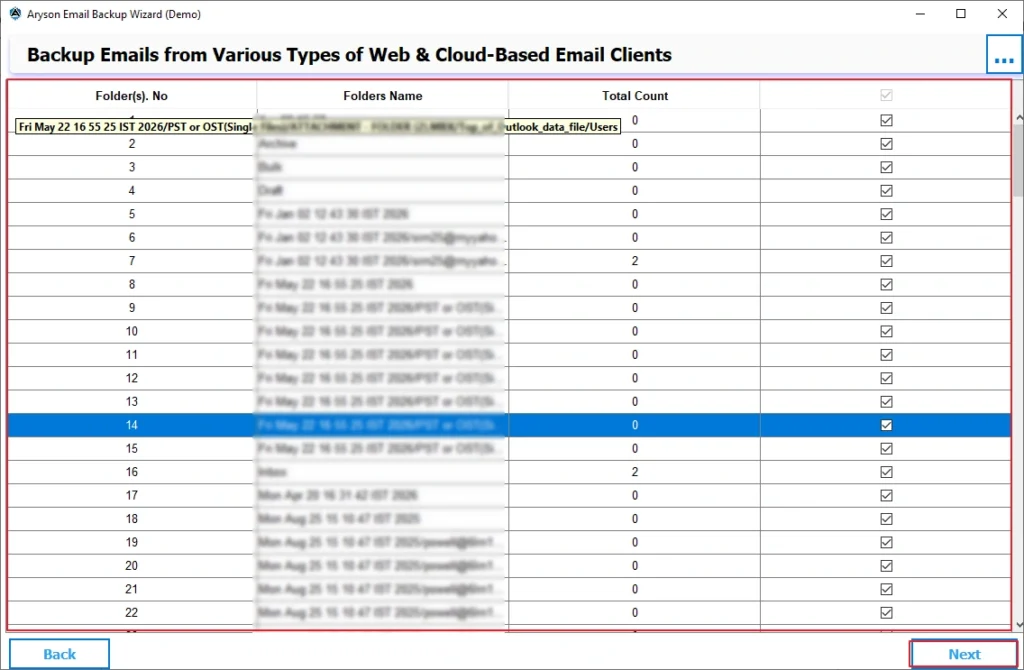
- Next, preview & select the mailbox folders that you want to export, then click Next.
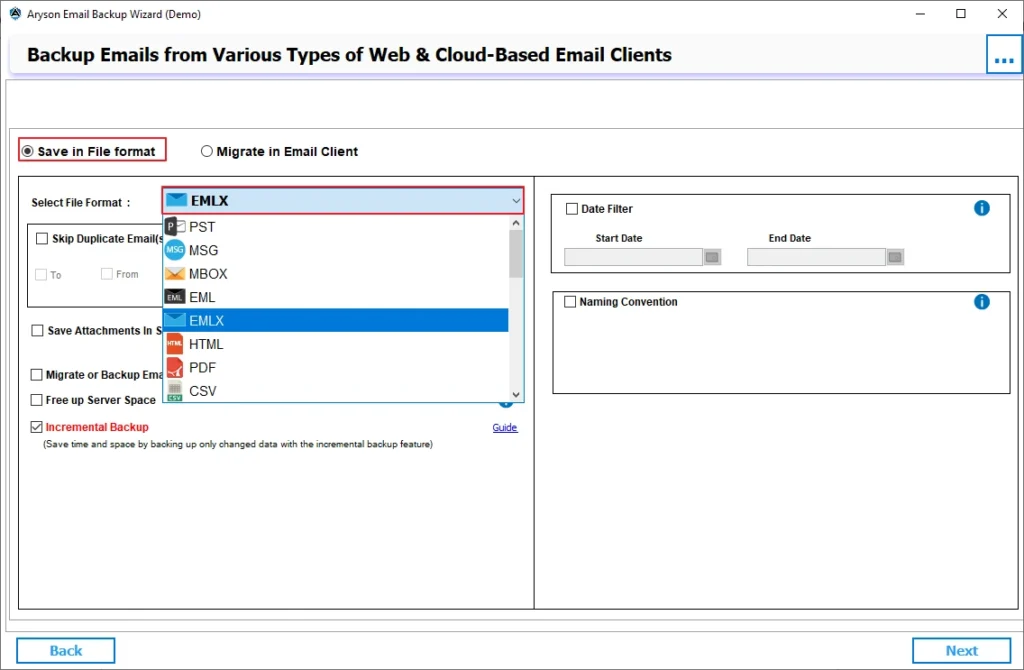
- Thereafter, choose EMLX as the saving format from the file format dropdown menu.
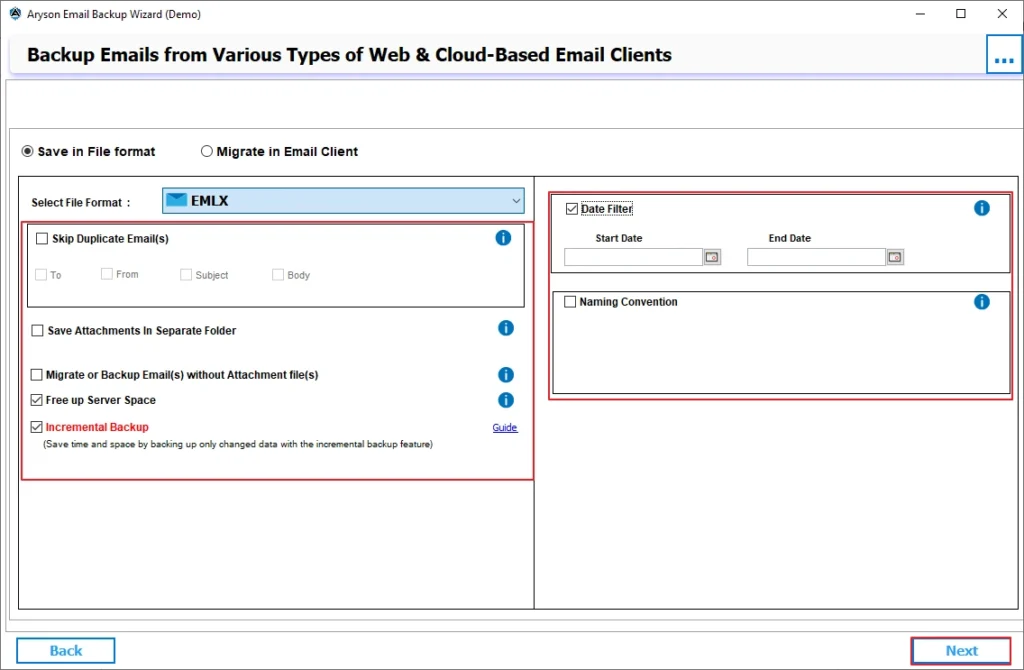
- Now, if required, apply features & filters >> click Next.
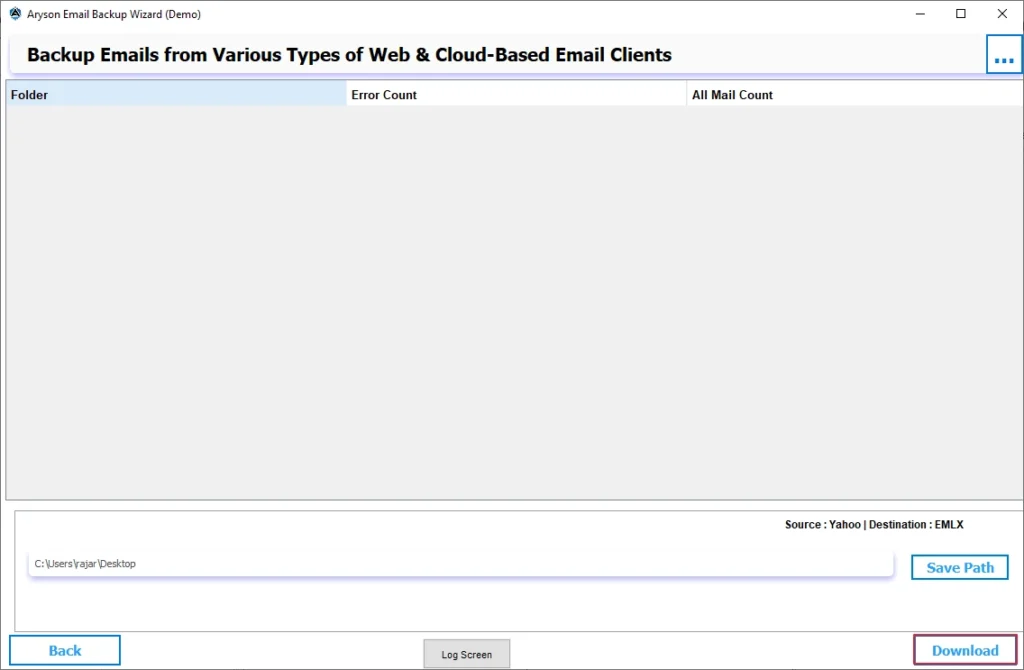
- Finally, click Download to export Yahoo Mail emails to EMLX files successfully.
Note: You can also Migrate Yahoo Mail to HostGator if you need to move your emails to a business hosting platform while preserving mailbox data and folder structure.
Real-Life ScenarioSophia, a marketing coordinator, wanted to transfer several years of Yahoo Mail emails to Apple Mail for easier access on her MacBook. Initially, she tried configuring her Yahoo account in Apple Mail and exporting emails manually. While the process worked for a few folders, it became difficult when handling thousands of messages. Later, she used the Yahoo Mail Backup Tool to download Yahoo Mail emails to EMLX files. The software completed the process smoothly and maintained all email content and attachments without any issues. |
End Note
In this guide, we discussed different methods to Export Yahoo Mail to EMLX files. The manual approach can help when dealing with a small number of emails and a Mac environment. However, it requires additional setup and significant manual effort. In contrast, the professional solution provides a simpler & more efficient way to export complete Yahoo Mail data while preserving important email properties. Users can choose the method that best matches their requirements and mailbox size.
Frequently Asked Questions
Ans: No, they are not exactly the same. EML is a standard email file format supported by several email clients, whereas EMLX is the native email file format used by Apple Mail. However, both formats store individual email messages and their associated data.
Ans: There is no fixed file size limit for exporting Yahoo Mail emails. However, the export time may increase when handling large mailboxes. Using the Yahoo Mail Backup Tool can help manage large volumes of emails more efficiently.
Ans: Embedded images are generally preserved along with the email content during export. If you use a reliable solution such as the Yahoo Mail Backup Tool, email formatting and embedded content remain intact throughout the process.
Ans: First, verify your internet connection and Yahoo Mail account credentials. If the issue continues, try exporting the affected folder again. Alternatively, you can use the Yahoo Mail Backup Tool, which offers advanced export options and helps reduce the chances of incomplete migration.
About The Author

I write blogs about databases, data recovery, file management, e-mail recovery, and migration solutions as a technical expert. Also, my skills enable me to work in a challenging environment, and I am excited to contribute to the growth of the organization.