How to Export Zoho Emails to Excel CSV Easily and Quickly?
Stephie’s User query: “I have been using Zoho Mail for a while, and now I need to export my emails into Excel CSV for reporting, but I don’t see any direct option in Zoho. How can I do this?”
Overview: Recently, Stephie, from London, asked for a way to export Zoho Emails to Excel CSV. Do you also want to manage your emails efficiently by exporting your emails from Zoho to Excel? If yes, your search will end here. Here, in this write-up, we will explore the finest method to perform the export process effortlessly within a few clicks, which is the Aryson Zoho Backup Tool, without any data loss or corruption. Reading the entire blog will answer all your relevant queries.
Why Export Zoho Mails to Excel CSV?
Before exporting Zoho emails to Excel, it’s important to know why we even need the conversion process. Let’s have a look at some of the reasons for the same:
- Easier Data Management – A CSV file can be easily organized, filtered, and sorted to quickly access all your Zoho Mails in Excel. Whereas, in Zoho, it’s limited to the Zoho search feature and directory system.
- Effortless Sharing of Data – You can easily collaborate with CSV files, as they are lightweight and can be shared directly without granting individual access.
- Ease of Migration – You can easily migrate CSV files to other email clients or platforms.
- Data Security – You would not need to rely completely on Zoho servers when having your own CSV backup.
- Cross Application Compatibility –You can easily open CSV files in Google Sheets, Excel, or even any database applications, as the CSV file format is universal.
- Better Backup Option – Exporting your emails to CSV ensures that you always have an offline copy of your crucial data, unlike Zoho.
Considering the above benefits that the CSV file format offers, you must export Zoho Emails to Excel CSV.
Note: Currently, Zoho does not provide us with any built-in feature to directly export your emails into a CSV file in Excel. Also, it only allows backups in the .eml format. Therefore, let me walk you through a step-by-step method that works to export Zoho Mail to CSV.
Most Refined and Efficient Solution to Export Zoho Emails to Excel CSV
If you want to export Zoho Mail to Excel CSV in bulk, the Aryson Zoho Backup Tool is the most reliable and suitable way to perform your task. This tool will export Zoho Emails to Excel CSV in just a few seconds without even disturbing the folder structure of Zoho Mailboxes. Moreover, it ensures that your data is not lost or corrupted. You can also export emails from Zoho Mail to PDF through the same software utility. Now, let’s navigate to the steps to perform the export process:
Step-by-step guide to perform the export process given below:
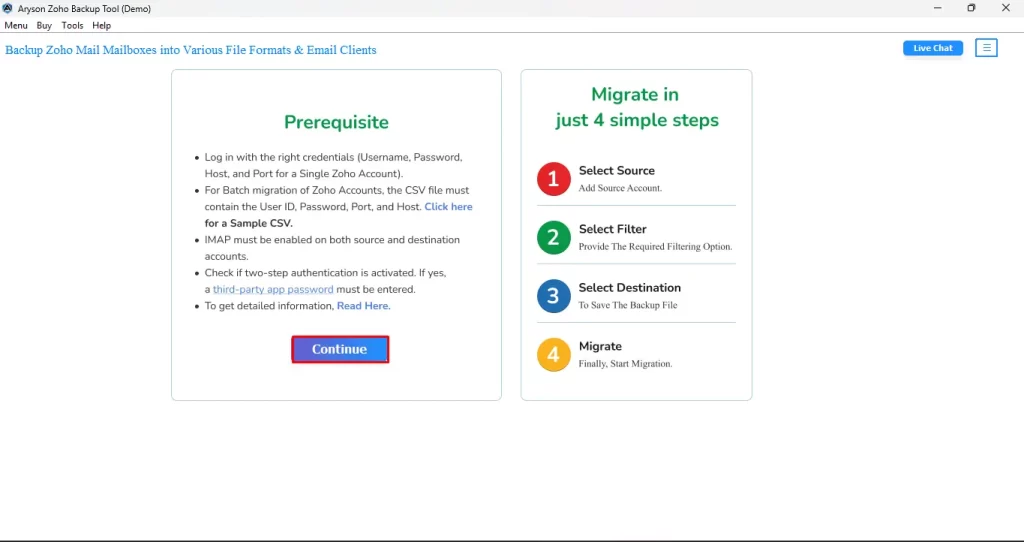
- First, install and launch Aryson Zoho Backup Tool on your existing PC.
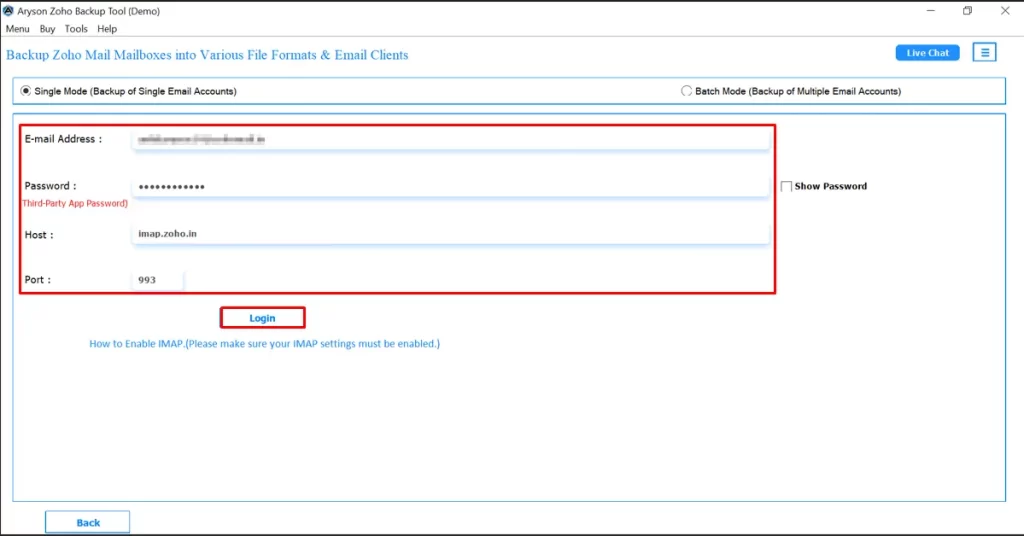
- Enter your Zoho credentials and click on the Login button.
- After logging in, a hierarchy of folders will appear on the Advanced Preview Panel.
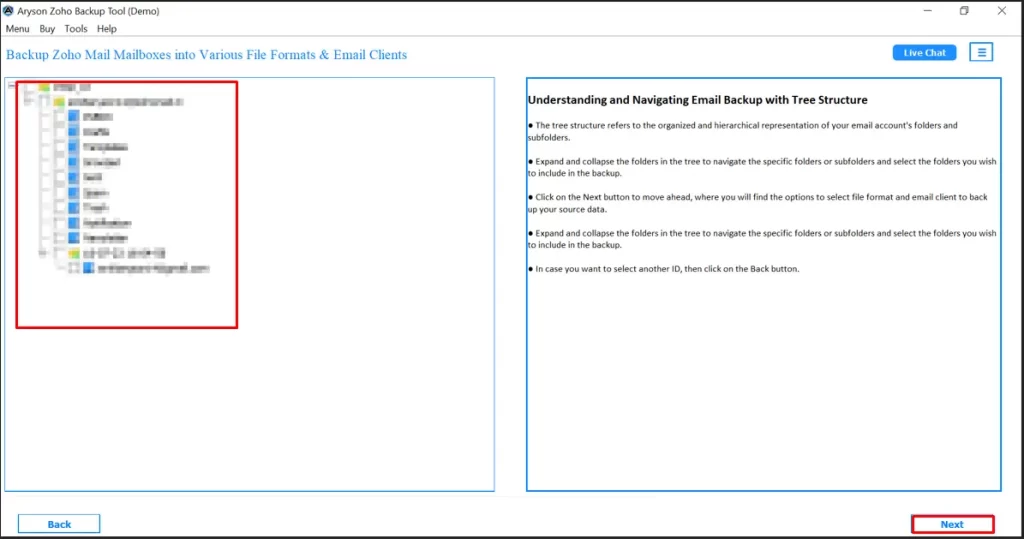
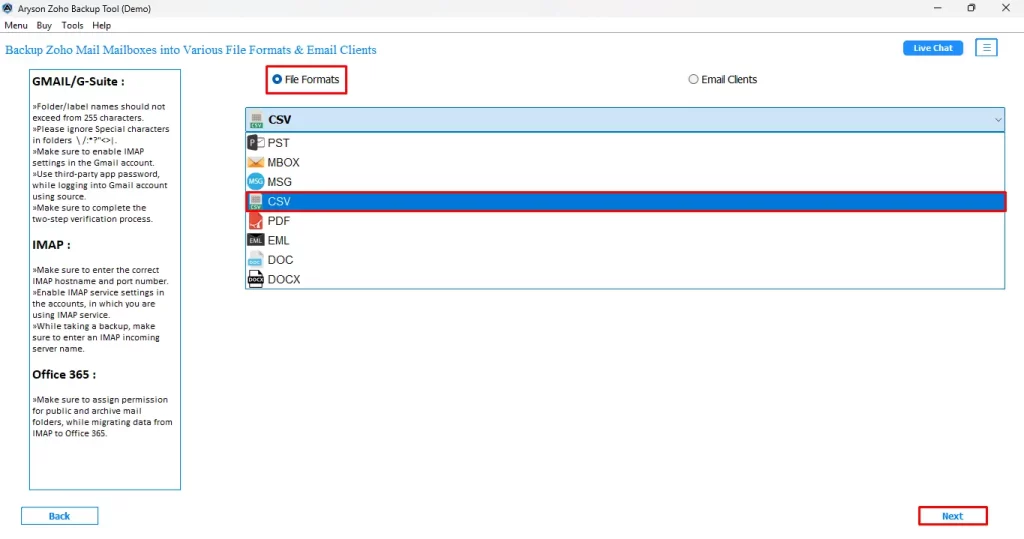
- Then, select CSV under File format and click Next to process further.
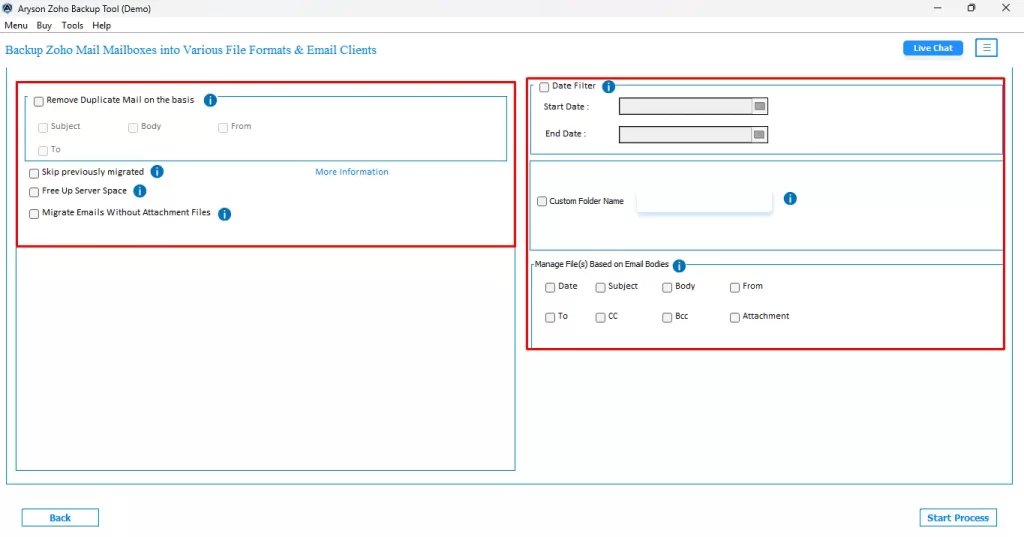
- You can also use the additional built-in features provided by the software.
- Finally, hit the Start Process button to start the export process.
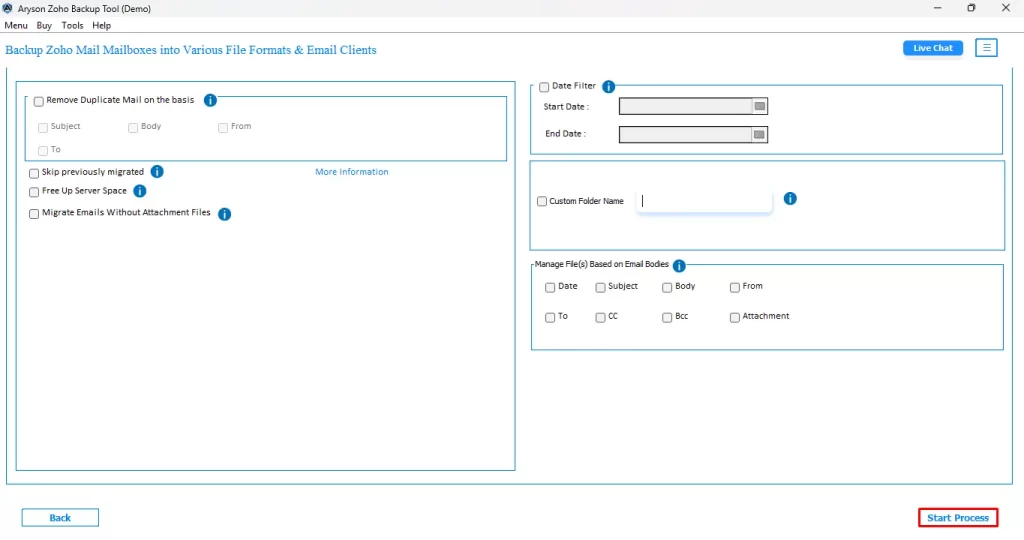
Following the above steps carefully, you can export Zoho Emails to Excel CSV.
Exclusive Features of Aryson Zoho Backup Tool
This software provides us with several useful features to export emails from Zoho Mail to CSV.
A few of them are listed below:
- This software can also migrate Zoho mail to any of the email clients like Gmail, Amazon Webmail, Hotmail, IMAP, Live Exchange, Opera Mail, Yandex Mail, etc.
- You can easily back up or save Zoho emails to CSV, PDF, HTML, MHTML, IMAP, and many other file formats.
- It also provides a Free Up Server Space option for better managing the storage space of the Zoho account.
- It allows users to save their Zoho email attachments separately when they save them into a PDF file.
- You can preview your Zoho Mailboxin a tree-like structure. Also, it keeps the folder hierarchy intact.
- Allow you to remove duplicate emails if they exist, through the Remove Duplicate Mail feature.
- This software makes sure that your data is not lost or corrupted during the transfer process.
- It is free backup software that allows you to back up as well as migrate 50 email folders.
Let’s sum it up
As we discussed above, there was no way to directly export Zoho Emails to Excel CSV provided by Zoho itself; therefore, we explored the finest way to perform the export process, i.e., through Aryson Zoho Backup Tool. The software keeps the directory structure intact. Also, there is no data loss or corruption faced during the export process. Following the steps to use the software, provided above, you can easily convert Zoho Mail emails to CSV. Still, if you have any queries, you can frequently connect to our tech support.
Frequently Asked Questions
Ans- No, you can export any number of emails within just a few clicks by using Aryson Zoho Backup Tool, without even losing any data.
Ans- It will take just a few seconds to export your Zoho emails to Excel CSV if you use the above solution, as this tool allows you to export emails in bulk.
About The Author

Khushboo Maurya is a content and website optimization expert who helps blogs and websites grow naturally. She focuses on improving content quality and reaching more people through smart, simple strategies.