How to Export Emails from Zoho Mail to PDF Without Hassle?
Summary: Need to export emails from Zoho Mail to PDF without going through any complex process? You’re not alone. When you want to store important business conversations or archive old threads, PDF is a trusted format. This blog will tell you about both the manual methods and professional methods, like the Aryson Zoho Backup Tool. Moreover, it covers everything from a simple export to bulk backup with attachments. Read on to find the best way according to your needs.
Why Export Zoho Mail to PDF?
PDF keeps your emails just the way they are, and you can choose to include attachments if you want. Plus, you can open a PDF on almost any device, even without an email app.
Here’s why many users choose to export their Zoho emails to PDF:
- PDF format keeps legal or business-related records safe.
- To easily share email content with people who don’t use email.
- Also, you can free up space by archiving messages offline.
- Users can access the inbox anytime with no internet requirement.
Best Ways to Export Emails from Zoho Mail to PDF
When it comes to migrating from one email to any format, choosing the right method can make all the difference. It can be when you’re handling a small mailbox or migrating large data; there are two reliable ways to go about it, one manual and one more automated. Let’s go through both so you can decide what works best according to your needs.
Method 1: Manually Export Zoho Emails to PDF
If you just want to save a few important emails from Zoho Mail, here’s how to do it:
- Firstly, log in to your Zoho Mail account.
- Open the email you wish to save.
- Click the three-dot menu for more options in the top-right corner of the email.
- Choose Print from the list.
- When the print window opens, change the destination printer to Save as PDF.
- Lastly, click Save and choose the destination.
This method is good when you want to convert Zoho Mail emails to PDF. However, it doesn’t support bulk exports or attachments.
Method 2: Automated Way to Save Zoho Emails Locally
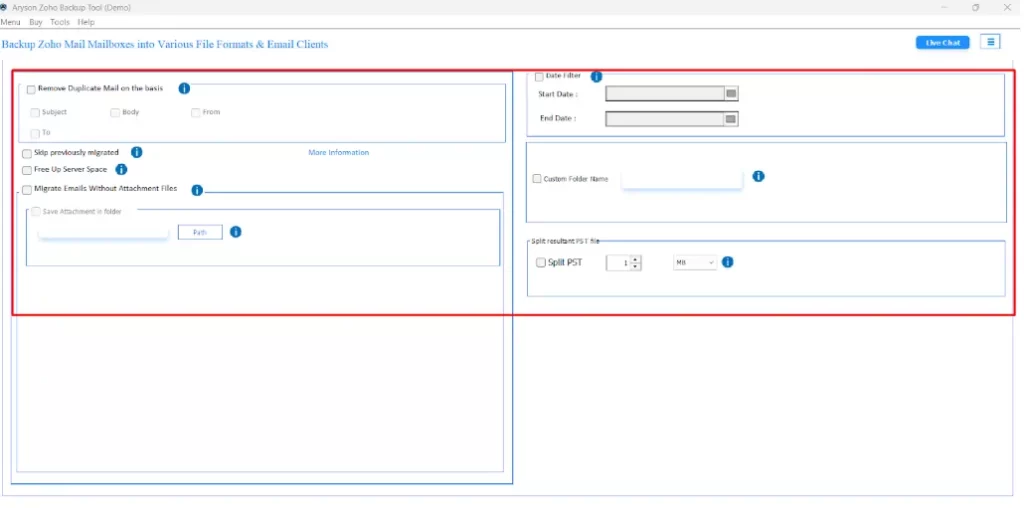
The Aryson Zoho Backup Tool is a secure solution for backing up Zoho Mail data as PDF. When you want to save your emails locally or move them to another platform, this tool supports multiple formats, which can also help you export Zoho Mail to PST. It allows users to export emails from Zoho Mail to PDF with bulk email export and preserves folder structure. It comes with features like removing duplicate emails and saving attachments separately. This utility is designed for both personal and business users. Also, it ensures safe and hassle-free backup without advanced technical skills.
- Firstly, download and run the Aryson Zoho Backup Tool.
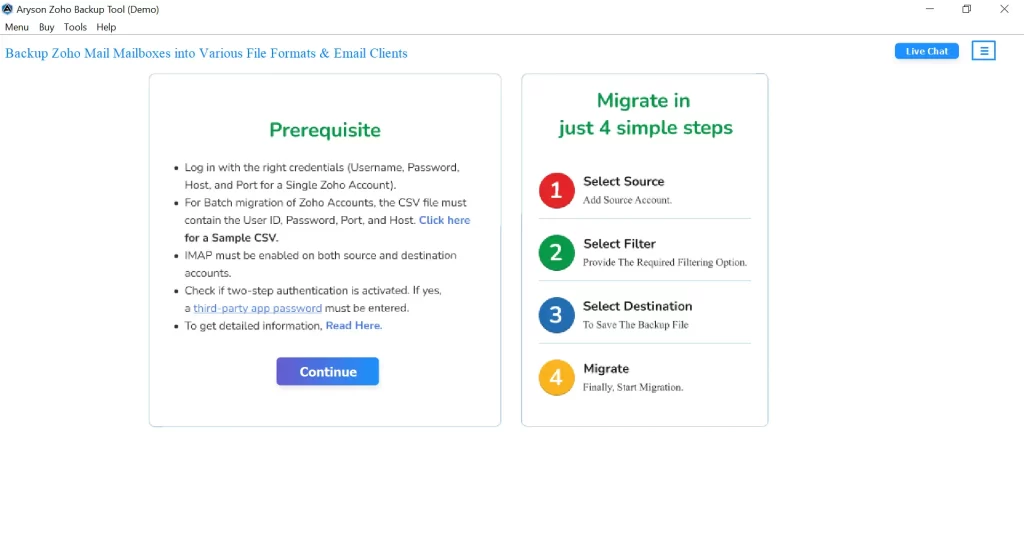
- Enter your Zoho Mail ID and the App Password to log in.
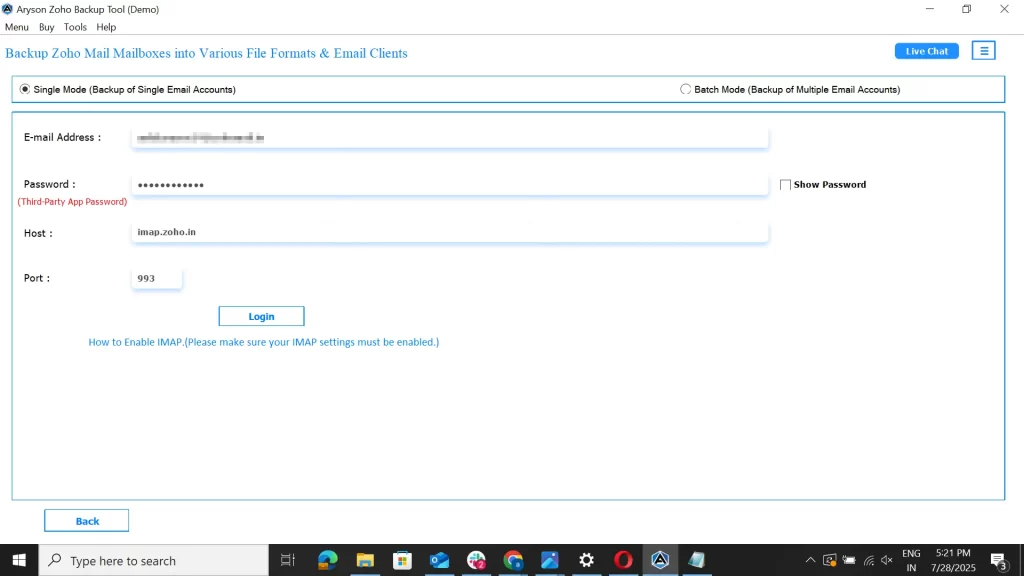
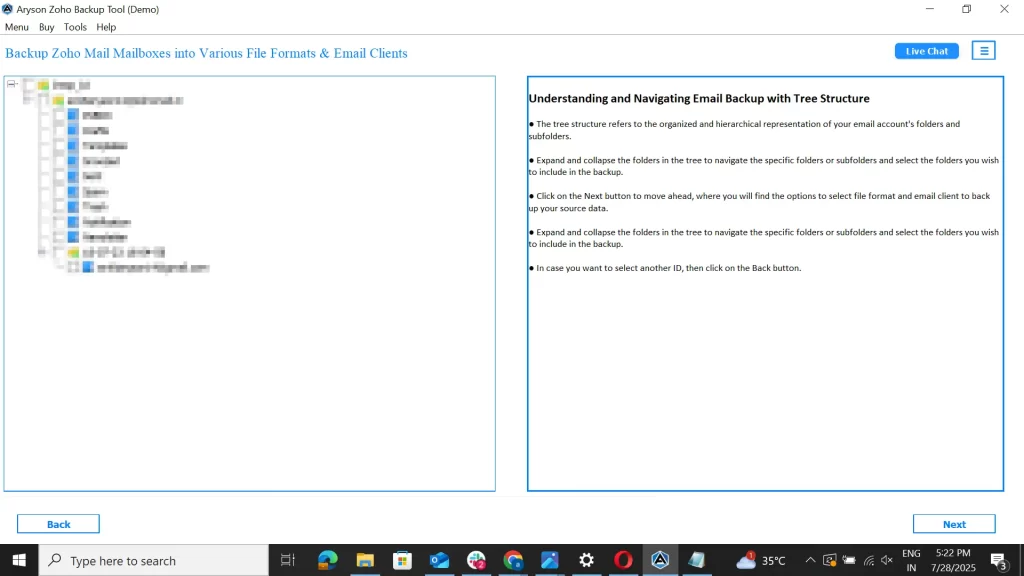
- Choose the folders you want to back up.
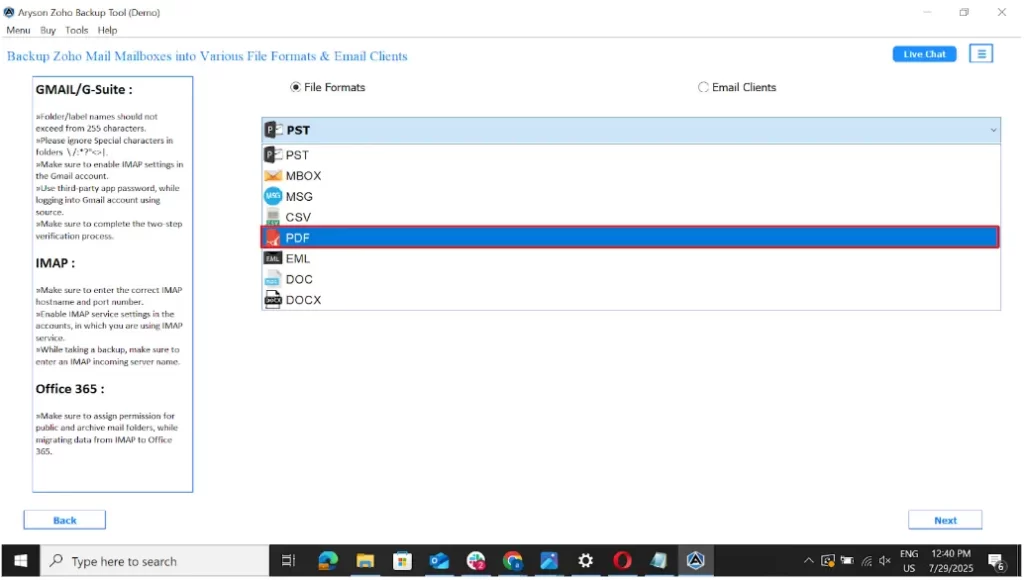
- Choose your file format as PDF.
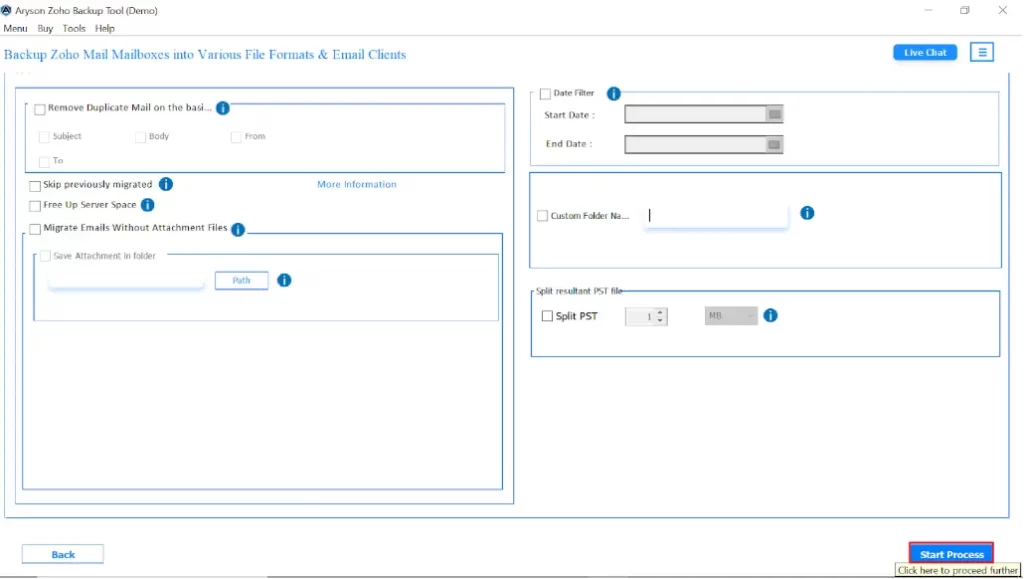
- Now, you’ll see some helpful features you can use according to your needs.
- Click on Start Process to Save Zoho Mail Emails as PDF Files
Conclusion
In conclusion, when you export emails from Zoho Mail to PDF, it doesn’t have to be difficult. With manual methods working for smaller tasks, on the other hand, automated options offer more control, speed, and reliability. You can always select the right approach to make sure that your data stays safe and folders remain intact. The process is completed without unnecessary hassle or technical issues.
Frequently Asked Questions
Ans: Yes, you can export multiple emails at once using a reliable Zoho email backup tool that supports batch conversion to PDF format.
Ans: Yes, the tool allows you to backup Zoho Emails to PDF format and export emails along with their attachments in PDF format. You can also choose to save attachments separately if needed.
About The Author

Khushboo Maurya is a content and website optimization expert who helps blogs and websites grow naturally. She focuses on improving content quality and reaching more people through smart, simple strategies.