How to Migrate Office 365 to iCloud Without Losing Data?
User query: “I’m Emily from California & I’ve been using Office 365 for my emails and contacts, but since I’ve shifted to using Apple devices, I’d like to move everything to iCloud. What’s the safest way to migrate Office 365 data to iCloud without losing any emails or attachments?”
Overview: Recently, Emily from California asked for a reliable way to migrate Office 365 to iCloud. Are you also searching for the same? If yes, you are at the right place. Here in this blog, you will explore the Aryson Email Backup Wizard Tool, which is an advanced solution to perform the migration process within a few clicks. To have a better understanding of the steps to follow, continue reading.
Why Migrate Office 365 to iCloud?
Before migrating Office 365 to iCloud, it’s important to first understand the need for migration. So, let’s take a look at some of the reasons for migration:
- Apple Ecosystem Sync – After the Office 365 to iCloud migration, you can easily access Office 365 emails on your iPhone, iPad, and Mac.
- Better Storage Management – You can move selected data to iCloud and free up space occupied in Office 365.
- Ease of Accessibility – iCloud makes sure to instantly sync your data across all Apple devices.
- Extra Backup – Store a copy of Office 365 data safely in iCloud.
- Platform Switch – Helpful when moving from Microsoft services to Apple’s ecosystem.
After seeing the advantages offered by iCloud, the next step is to transfer Office 365 emails to iCloud. For that, let me introduce you to an efficient method in the next section of this log.
Automated Solution to Migrate Emails from Office 365 to iCloud
Aryson Email Backup Wizard is the most efficient and quickest way available to migrate Office 365 to iCloud. This software allows you to perform migration in just a few seconds without any loss of data or attachments. In addition, it will enable you to directly migrate all your mailbox data to Gmail, IMAP, Office 365, and many more email clients. Also, it offers you some additional features like Skip Duplicate Email and Free up Server Space. Not just that—this software also allows you to effortlessly migrate Office 365 to Google Workspace, making it a one-stop solution for all your email migration needs. Simply go through the steps given below to perform the migration process effortlessly.
Effective Steps to Export Office 365 to iCloud are as follows:
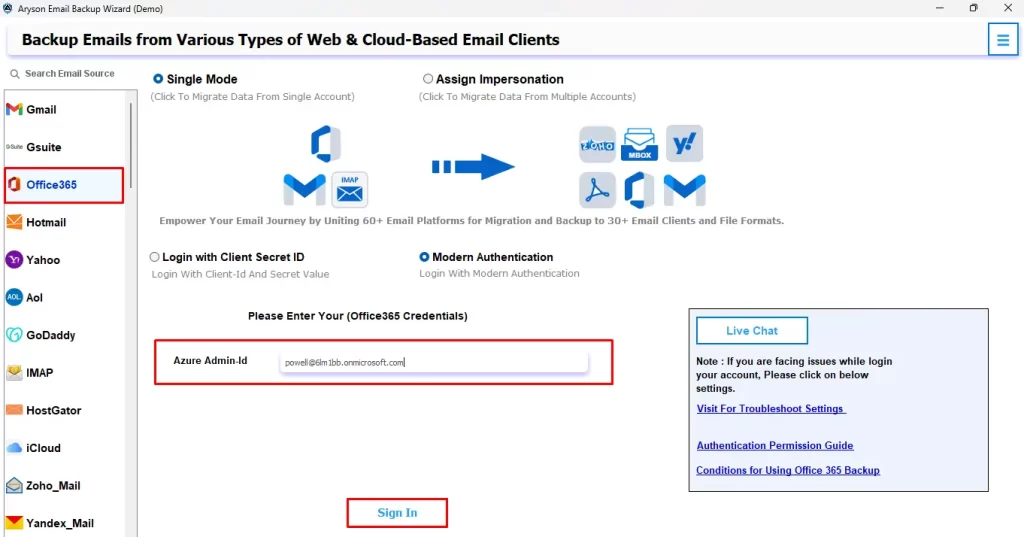
- Run the Aryson Email Backup Wizard software & enter your Office 365 credentials to sign in.
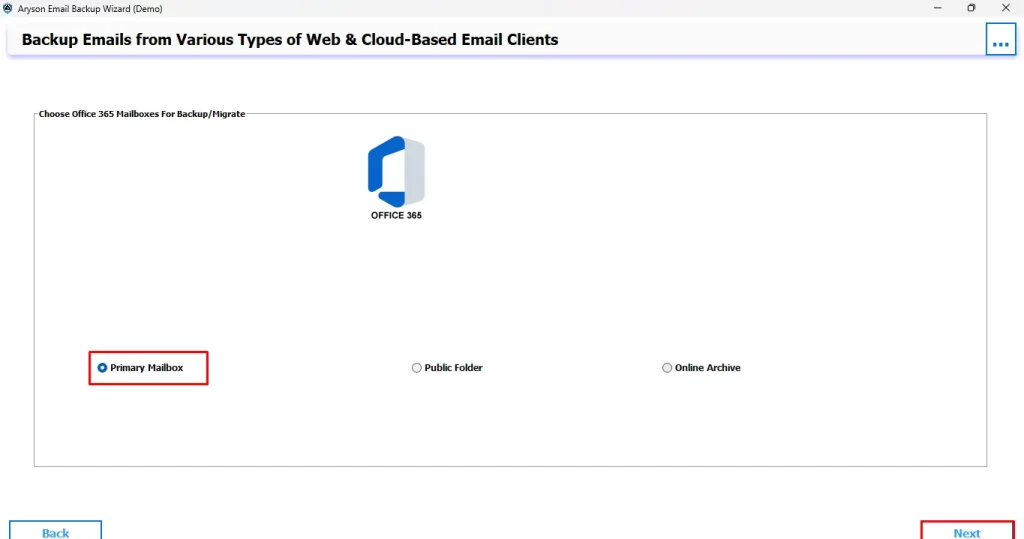
- Pick the desired Mailbox folder and click Next.
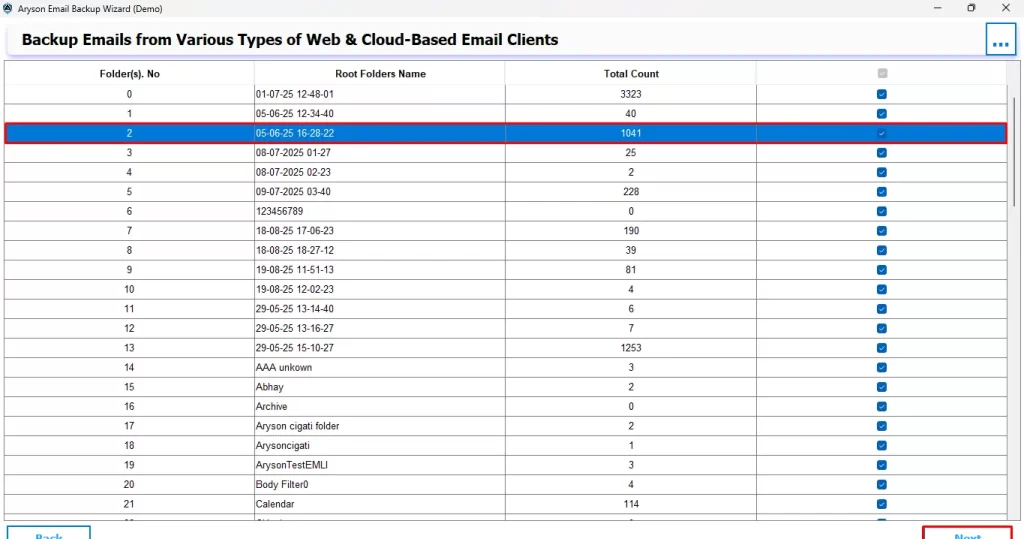
- Now, you can select and preview your selected files for migration and press Next.
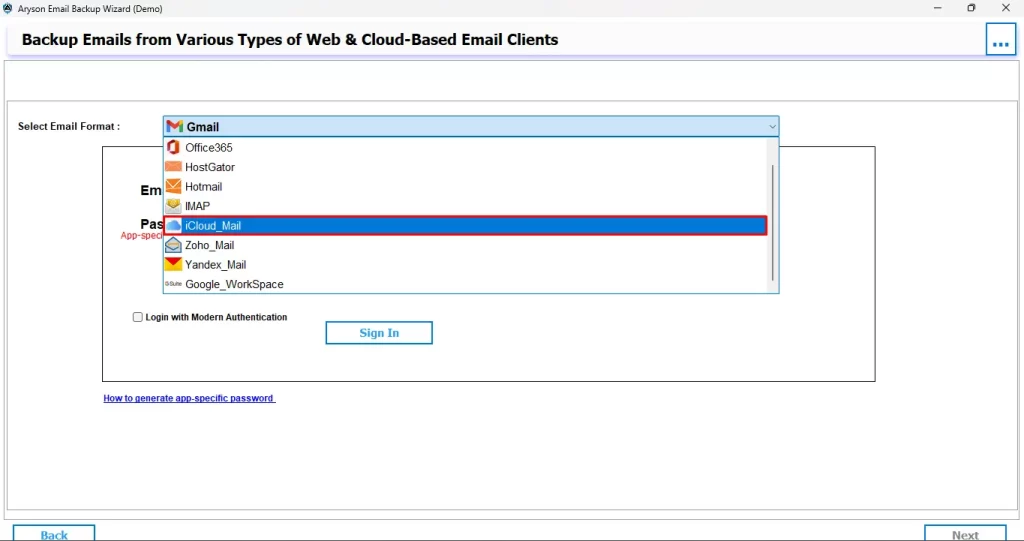
- Next, under the Select Email Format, select iCloud_Mail and sign in using your iCloud credentials.
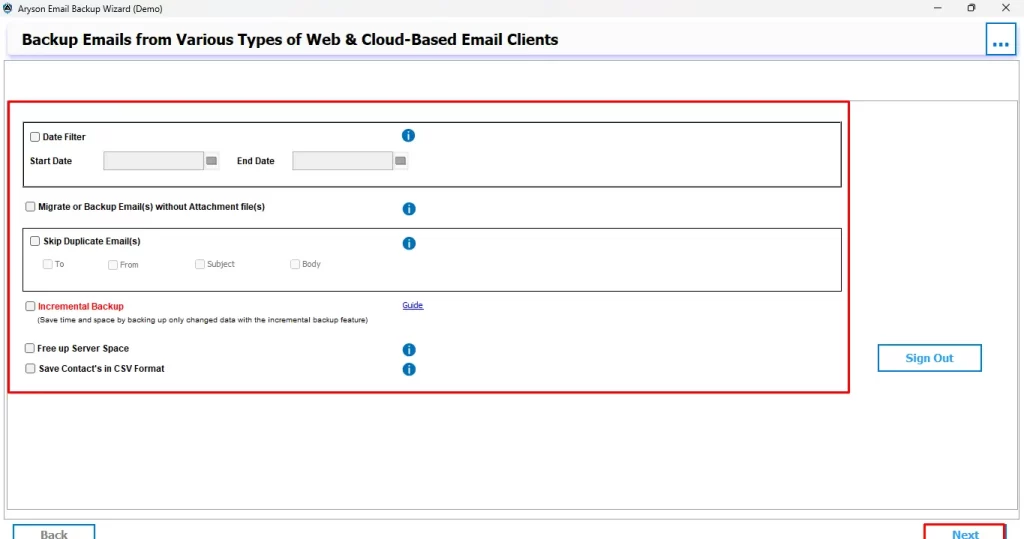
- Use the additional features as needed and finally hit the Next button.
Following these simple steps, you can easily migrate Office 365 to iCloud within a few minutes only. Now, to get more insights about this software, refer to the exclusive benefits mentioned below.
Exclusive Benefits offered by Aryson Email Backup Wizard Tool
There are a number of features offered by this software. Let’s take a look at some of them:
- This software allows you to migrate all your mailbox data to different email clients like IMAP, Google Workspace, Gmail, Office 365, and many more.
- Also, you can get access to different built-in features like Skip duplicate email to avoid migrating duplicate emails.
- In addition to it, you can also use the date filter feature to migrate data from a particular date and time only.
- You can also use the Free Up Server Space feature to make more space for your new emails.
- It also offers a few other advanced features, like a split PST file and a custom folder name feature.
- Also, this software is the best Windows OS-compatible software for backing up emails on the local drive.
Conclusion
In the above blog, we explored Aryson Email Backup Wizard, which is an advanced solution to migrate Office 365 to iCloud. This software, as discussed, offers various exclusive features to the user, making them efficient at their work. Also, a complete tutorial for this software is provided above. Following it, you can perform the migration process without any errors or data loss. Refer to the FAQs section below to get more insights into the migration process.
Frequently Asked Questions
Ans- Yes, the folder hierarchy remains intact if you are using the Aryson Email Backup Wizard to perform the migration process.
Ans- Failed emails may not appear in your iCloud mailbox, leading to missing messages. Re-running the migration or using a professional tool usually resolves the issue.
About The Author

Khushboo Maurya is a content and website optimization expert who helps blogs and websites grow naturally. She focuses on improving content quality and reaching more people through smart, simple strategies.