How to Convert OST to vCard Quickly and Safely
Overview: OST files are generally used to store Outlook mailbox data on our system. In contrast, VCF files can store your contact information in a universal format that is supported by phones, email services, and different CRMs. Therefore, users prefer to convert OST to vCard to extract their contacts and transfer them from MS Outlook or other platforms. This makes it easier for them to access, share, and use across various devices. Read this blog to explore different methods to convert OST files to vCard, including the Aryson OST to PST Converter for a quick conversion. But let’s first discuss why it is important to convert OST files to vCard.
Why Convert OST Contacts to vCard File?
Listed below are the various reasons why it is important to convert OST files to vCard.
- Users can export Outlook contacts into a universally supported format after conversion.
- As well as, They can also access their contacts without needing Outlook.
- Moreover, users can transfer their contacts to phones, Gmail, iCloud, or different CRMs.
- You can also recover your contacts from inaccessible or orphaned OST files.
- Also, it becomes easy to share contact information with others.
- You can keep a portable backup of your important contacts.
Top Two Techniques to Convert OST to vCard
Here, in this section, we will explore two techniques to export Outlook OST Contacts to VCF.
- The Advanced Solution
- Use of the Manual Approach
Technique 1: Automated Software to Convert OST File to vCard
Aryson OST Converter is one of the fastest methods to convert multiple OST files to vCard format. It can perform the conversion in a few seconds without any data loss. Moreover, it allows users to preview their OST files before converting them to achieve 100% data integrity. Additionally, it can convert OST to PDF, PST, MSG, MBOX, etc. file formats. You can also use the additional filters, like Remove Duplicates, Skip Previous Mails, Date Range feature, etc., to refine your file selection. Now, begin the conversion process by following the steps below.
Simplified Guide to Convert OST to vCard
- Install and Open the Aryson OST to PST Converter on your PC.
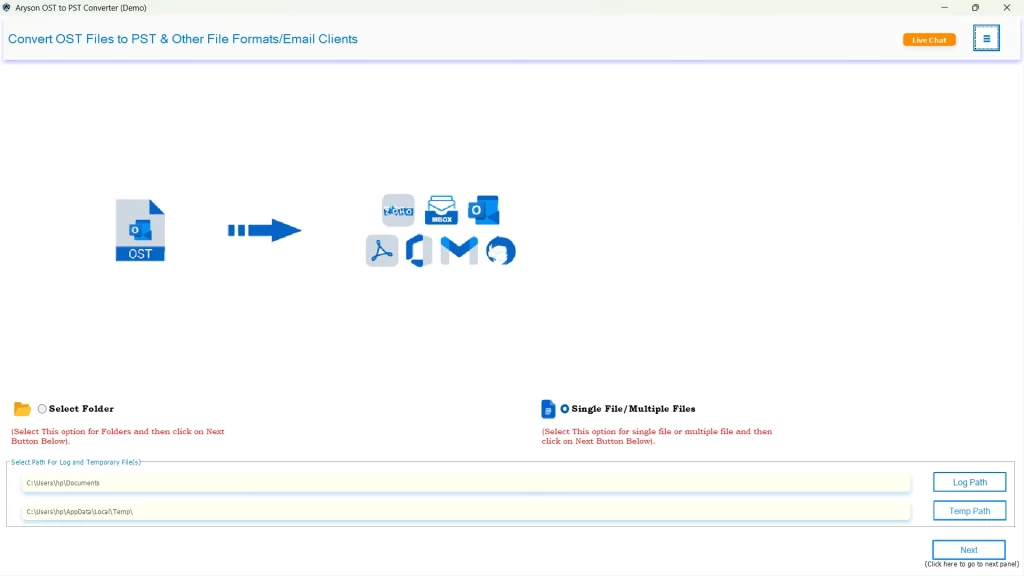
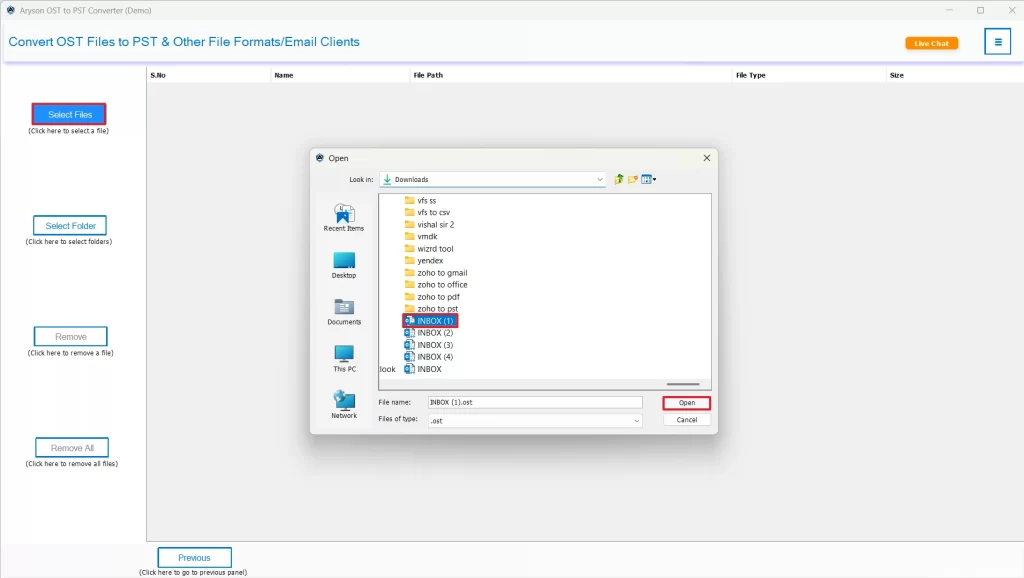
- Then, select Files/Folders to load the OST files you want to export & click Next.
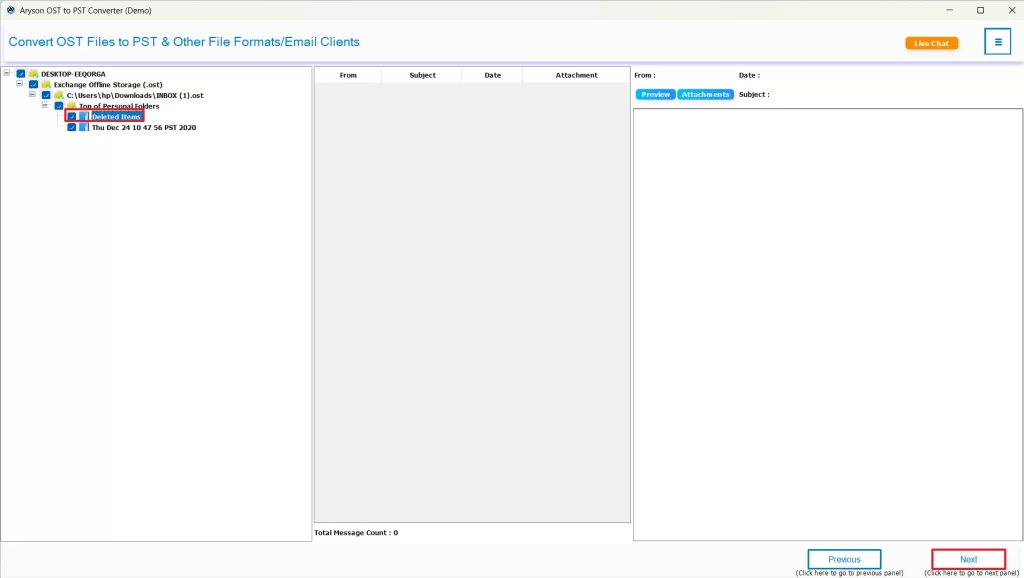
- After that, select one or more files to preview & click Next.
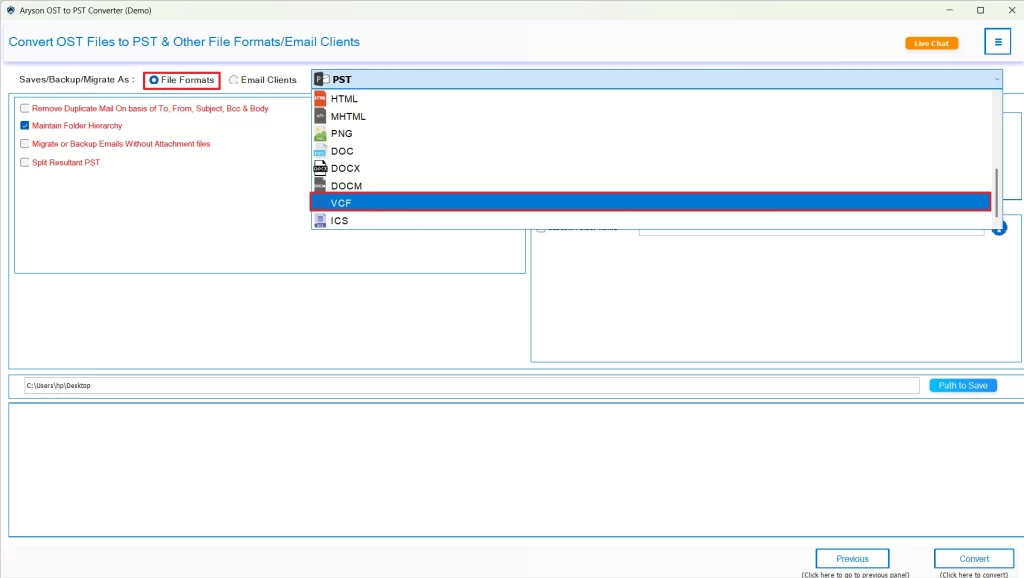
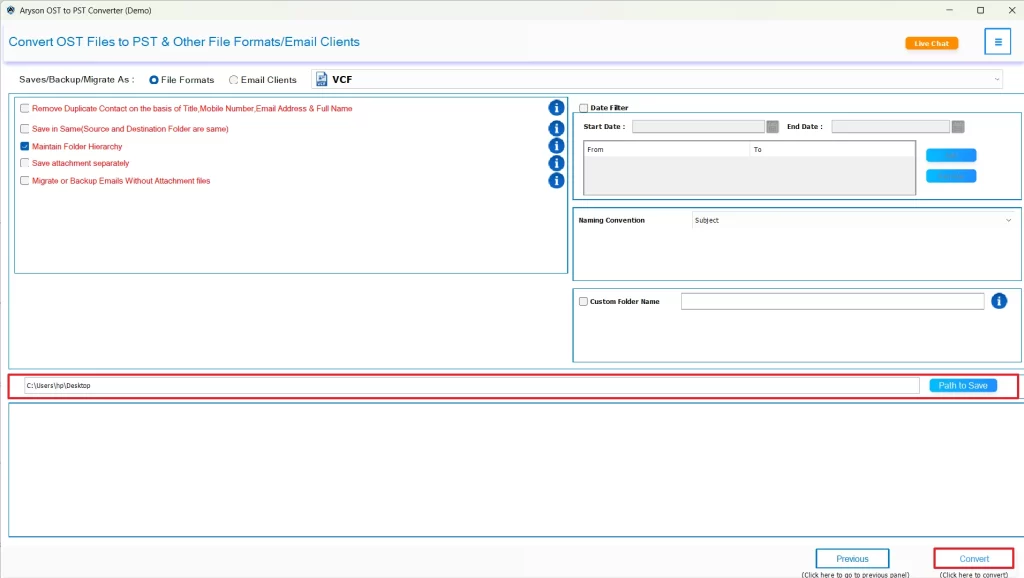
- Now, select the vCard format from the listed file formats.
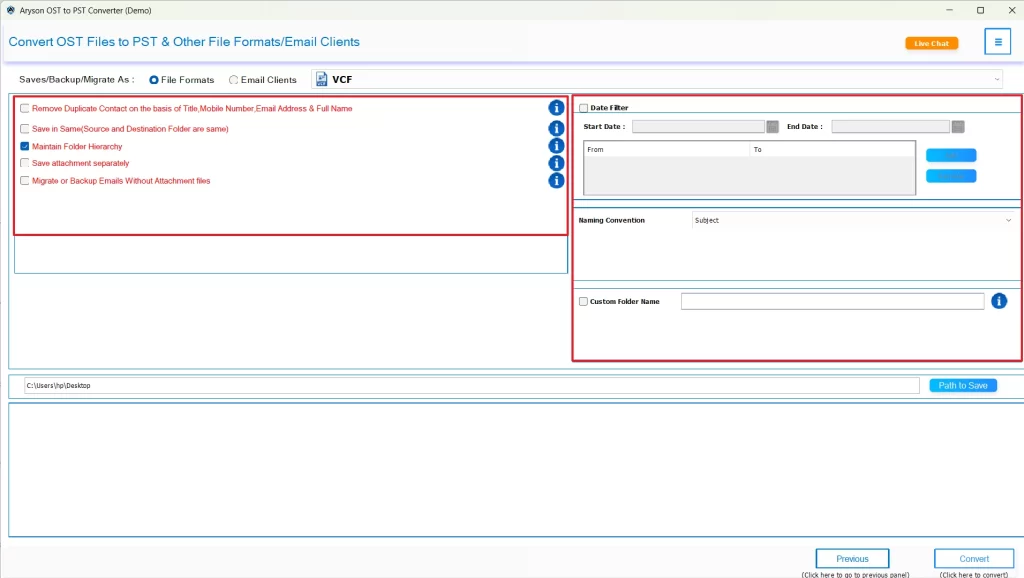
- At this point, you can use the additional features offered by the software if required.
- At last, provide the location to save the output files & click Convert.
Additional Note: This method works fine, but in case you have a few files to convert, you can proceed with the alternative solution below. This method will require you to install MS Outlook and possess some familiarity with its interface.
Technique 2: Convert OST to vCard Using Outlook
You can use the MS Outlook application to convert OST files to vCard format manually. This method is very simple, as you just have to save your Outlook contacts in VCF format. But, at the same time, it can take you long hours to convert each OST file one by one.
Steps to Perform Manual Conversion
- To begin, open your currently active Outlook profile that contains your OST file.
- Then, navigate to the Contacts/People view at the bottom.
- After that, select the contacts that you want to convert.
- Now, go to the File tab>> Save As.
- Next, choose VCF (vCard) as the output file type.
- At last, provide a location to save the resultant file, rename this file, & click Save.
Conclusion
In the above blog, we discussed two different methods to convert OST to vCard. You can opt for either of the two as per your needs and expertise. However, most of the users rely on the automated solution because of its satisfactory results. You may also try the demo version of the software to get a hands-on experience of the software and optimize the conversion using the provided built-in features of the software.
Frequently Asked Questions
Ans- Yes, using Aryson OST to PST Converter, it is possible to save contacts from OST to vCard from a corrupted or inaccessible Outlook file.
Ans- Yes, you can merge multiple OST contact files into a single vCard using the automated solution.
Ans- Yes, the converted vCard maintains international or special characters if you are using the Aryson OST to PST Converter.
Ans- Yes, you can use converted vCard files on mobile devices and web email services.
Ans- Yes, with the help of Aryson OST to PST Converter, you can save contacts from OST to vCard in bulk.
About The Author

Khushboo Maurya is a content and website optimization expert who helps blogs and websites grow naturally. She focuses on improving content quality and reaching more people through smart, simple strategies.